

Create and post video ads - right inside ChatGPT
Connect LetsTok to ChatGPT and turn a simple chat into finished, on-brand video ads - generate, caption, translate and publish to your social channels without leaving the conversation. It is the only system that learns your business and can run your social on autopilot.
Works on ChatGPT web (Plus, Pro, Business, Enterprise or Edu). Not available on the free plan.
Before you start
Adding a custom connector in ChatGPT takes a couple of extra steps compared to other apps. Make sure these three things are true first.
A paid ChatGPT plan
Custom apps and Developer mode require a paid plan - Plus, Pro, Business, Enterprise or Edu. They do not exist on Free ChatGPT, and you set this up on ChatGPT web (chatgpt.com), not the basic mobile app.
Admin approval on teams
On a Business, Enterprise or Edu workspace, only an Admin or Owner can turn on Developer mode and allow custom connectors - and they enable it for the whole team. If you do not see it, ask your workspace admin to enable it first.
A LetsTok account
Any LetsTok account works for connecting - you will sign in during setup, no API key required. Creating and posting from chat requires the Starter plan or above; generations use your existing LetsTok credits.
From a single prompt to a finished video
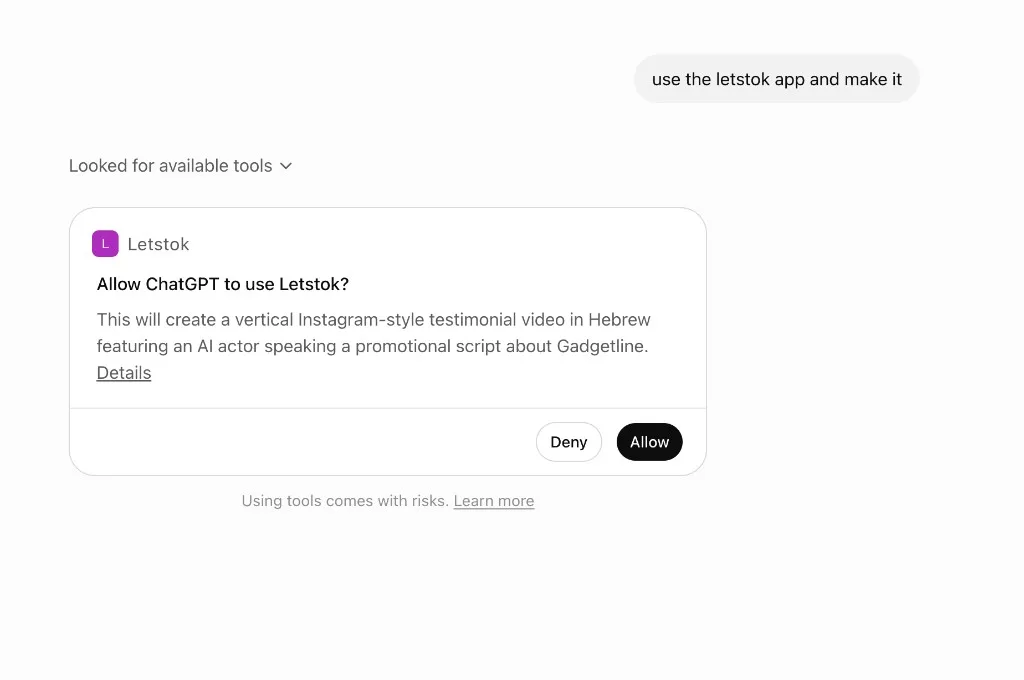
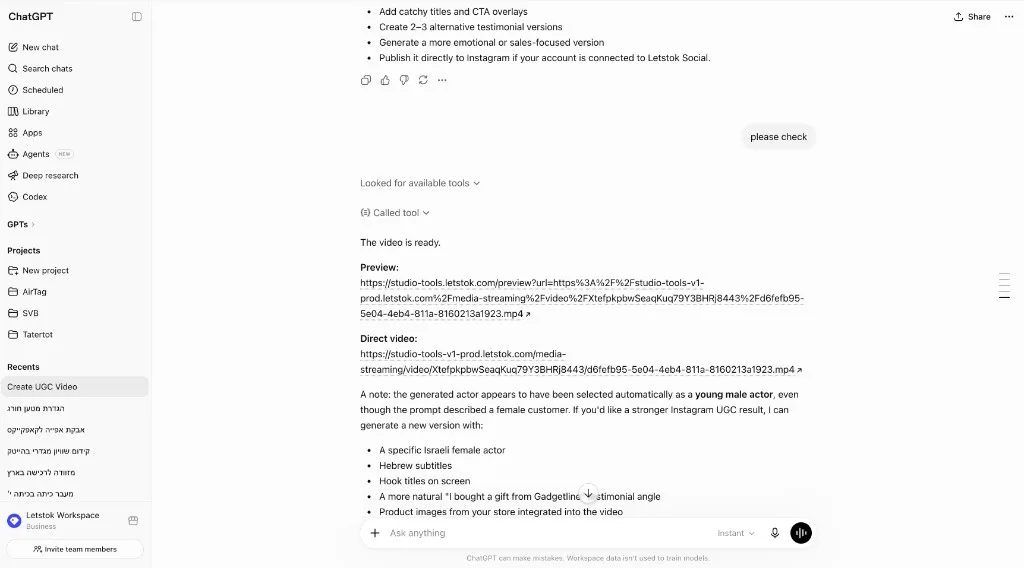
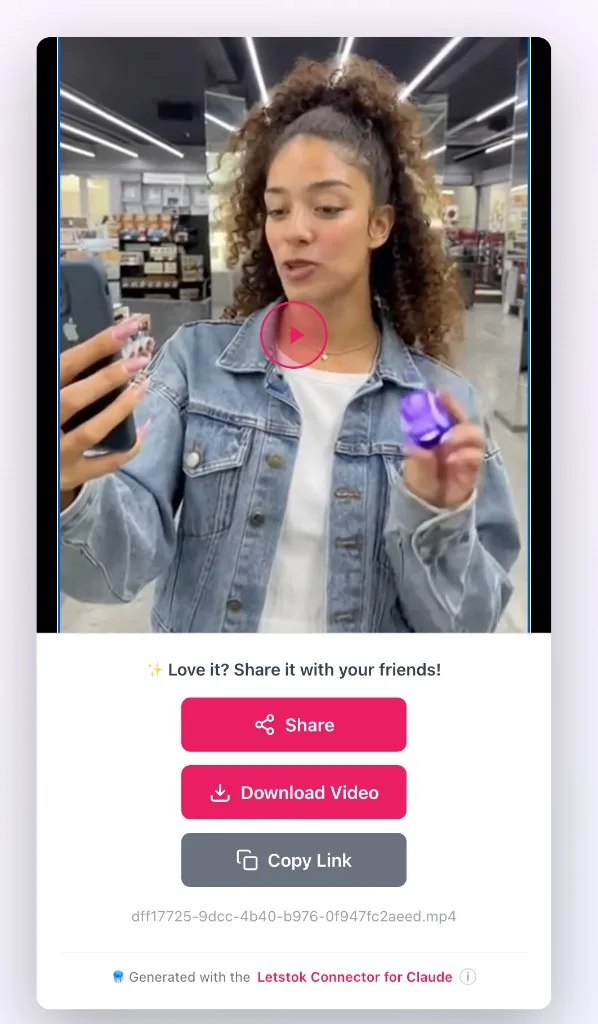
Once connected, just ask in plain language. ChatGPT calls LetsTok, generates the video, and hands you a preview and a download link.
The only system that learns your business - then runs it on autopilot
Other tools just generate clips. LetsTok and your AI assistant actually learn your product, brand voice and what performs - so the more you use it, the more it can do on its own. You teach it once; it becomes your creative and social marketing team.
Show it your business
Point it at your store, products and goals. It learns your brand voice, audience and offers - no manual setup grind.
It gets smarter with every post
Each video and post adds data - which concepts, hooks and channels actually win for you. The system keeps tuning to your results.
Hand it the wheel
Once it has enough signal, let it run: it plans the calendar, creates the videos, writes captions and posts across your channels - like a full team working for you.
A complete creation and social marketing team - without hiring one.
What you can do
The connector exposes your full LetsTok toolkit - creation, editing, posting and analytics.
Create video ads from a prompt
Describe the ad and it generates with your LetsTok AI actors, voices and styles - UGC, testimonials, product demos and more.
Hebrew & 30+ languages
Native Hebrew voiceovers (Sora 2) and a one-tap fix-the-voiceover step, plus translate or dub any video into another language.
Subtitles & on-screen titles
Burn sound-off captions and punchy headline plus CTA titles - including right-to-left Hebrew - straight from the chat.
Post & schedule everywhere
Publish or schedule to TikTok, Instagram, Facebook and YouTube - feed posts, Reels or Stories - without leaving the chat.
Track your performance
Ask for a snapshot of your content calendar and per-channel analytics - followers, impressions and engagement in one view.
Run it on autopilot
Plan a content schedule, approve the creatives, and let it write the captions and publish across your channels.
How to connect LetsTok to ChatGPT
A one-time setup on ChatGPT web. Follow the screenshots in order - it takes about two minutes.
https://mcp.letstok.com/mcp- 1
Open Settings - Apps
On ChatGPT web, open your profile menu and go to Settings, then select Apps (also called Apps & Connectors). This is where every connected app lives.
- 2
Turn on Developer mode
In Apps, open Advanced settings and switch on Developer mode. It carries an ELEVATED RISK label - that is normal for custom connectors. On a team workspace this switch only appears once your admin has enabled it for everyone.
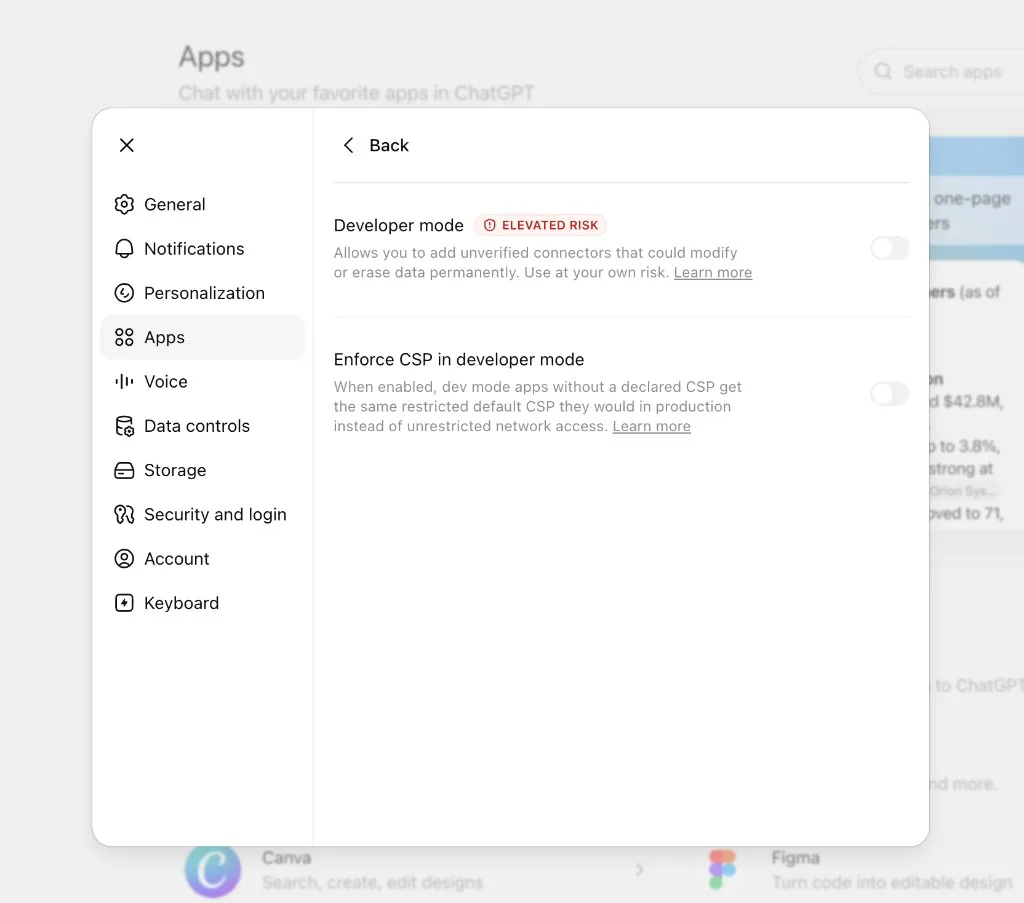
Find Developer mode under Apps - Advanced settings. 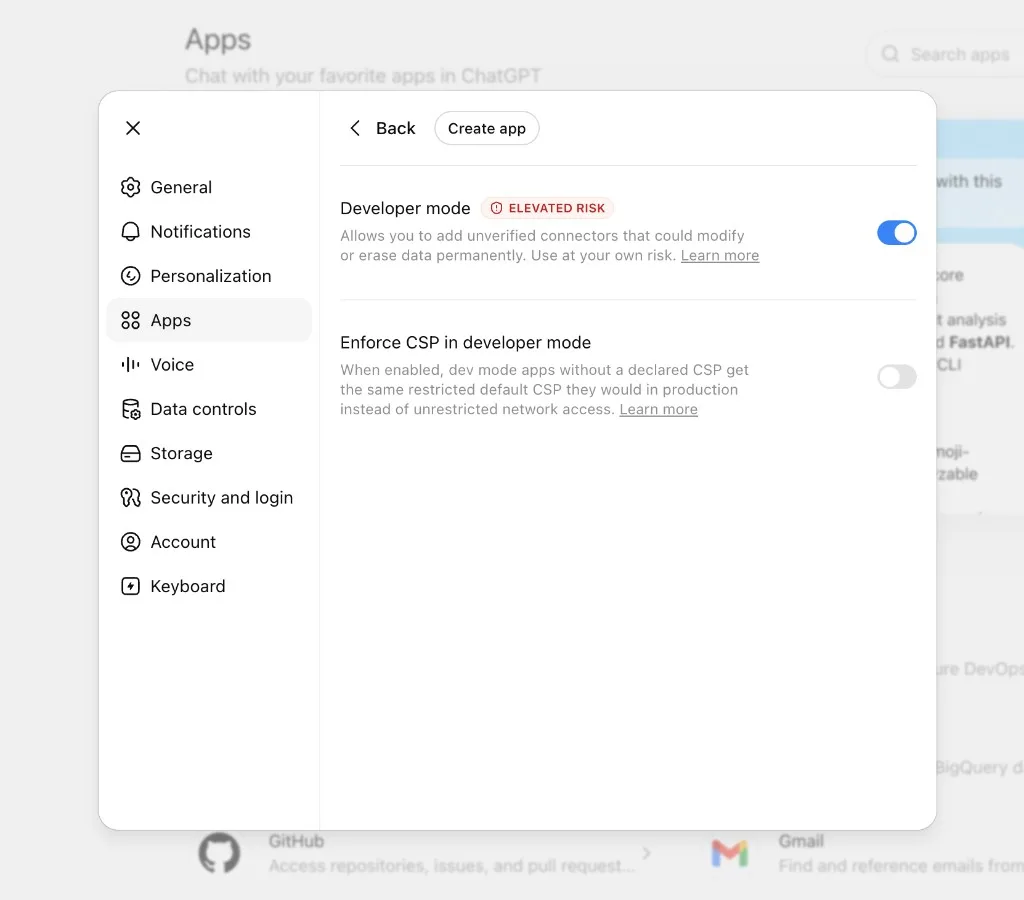
Switch it on - a Create app button appears. - 3
Click Create app
With Developer mode on, click Create app at the top of the Apps panel. This opens the New App form.
- 4
Fill in the LetsTok details
Set Name to LetsTok. Keep Connection on Server URL and paste https://mcp.letstok.com/mcp. Set Authentication to OAuth and leave Advanced OAuth settings as they are. Tick I understand and want to continue, then click Create.
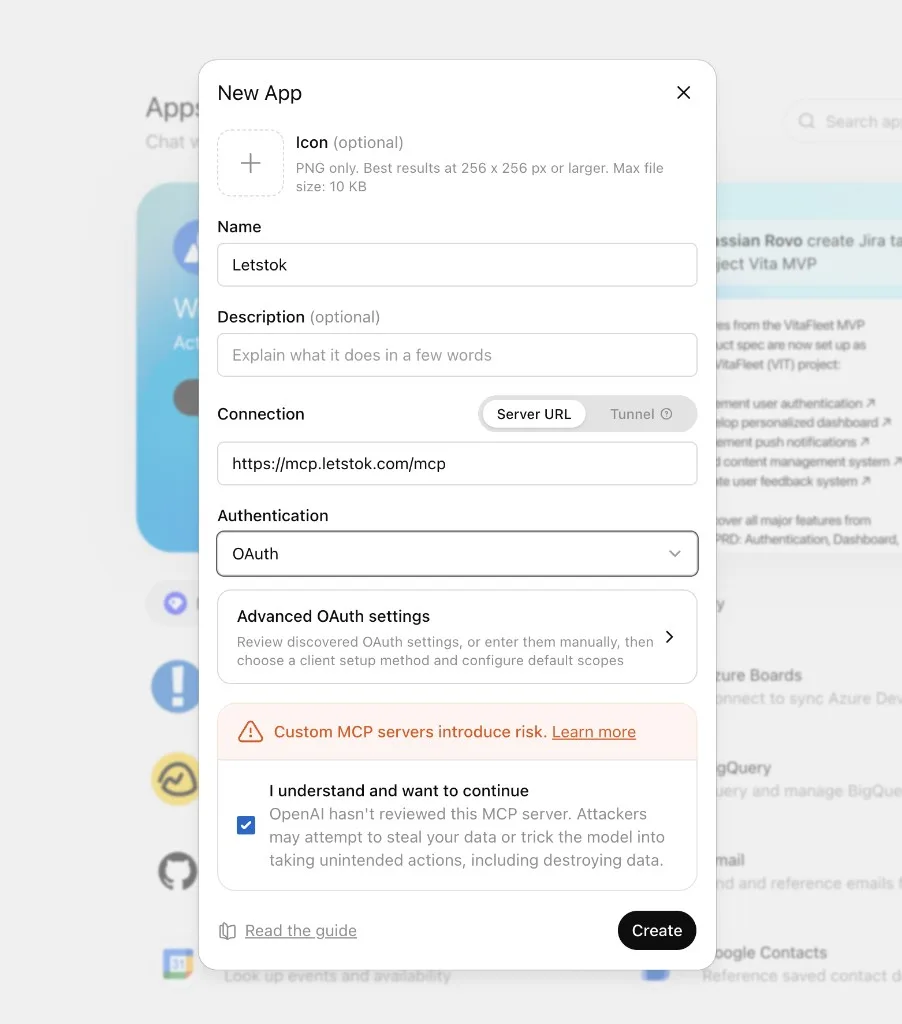
Name, Server URL, OAuth, tick the box, then Create. - 5
Sign in with LetsTok
Open the new LetsTok app and click Sign in with LetsTok. A LetsTok window opens so you can log in - no API key needed.
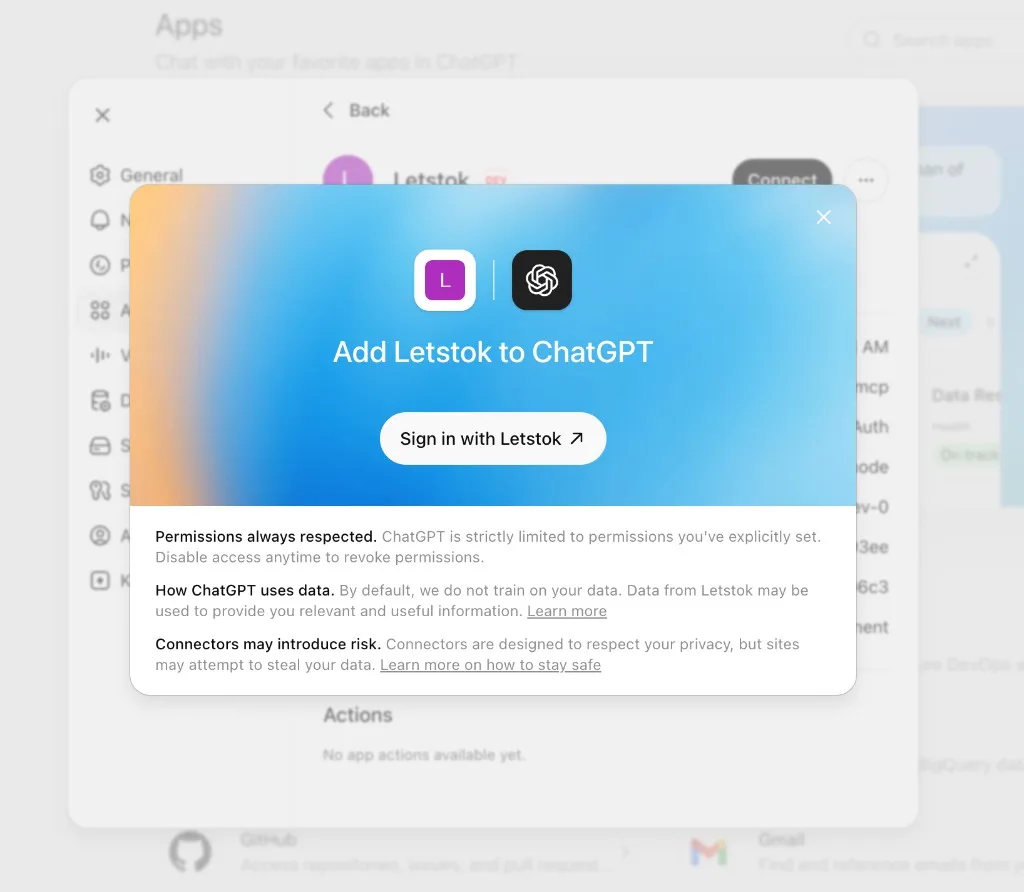
Click Sign in with LetsTok. - 6
Approve access
LetsTok shows what ChatGPT will be allowed to do with your account. Review it and click Allow.
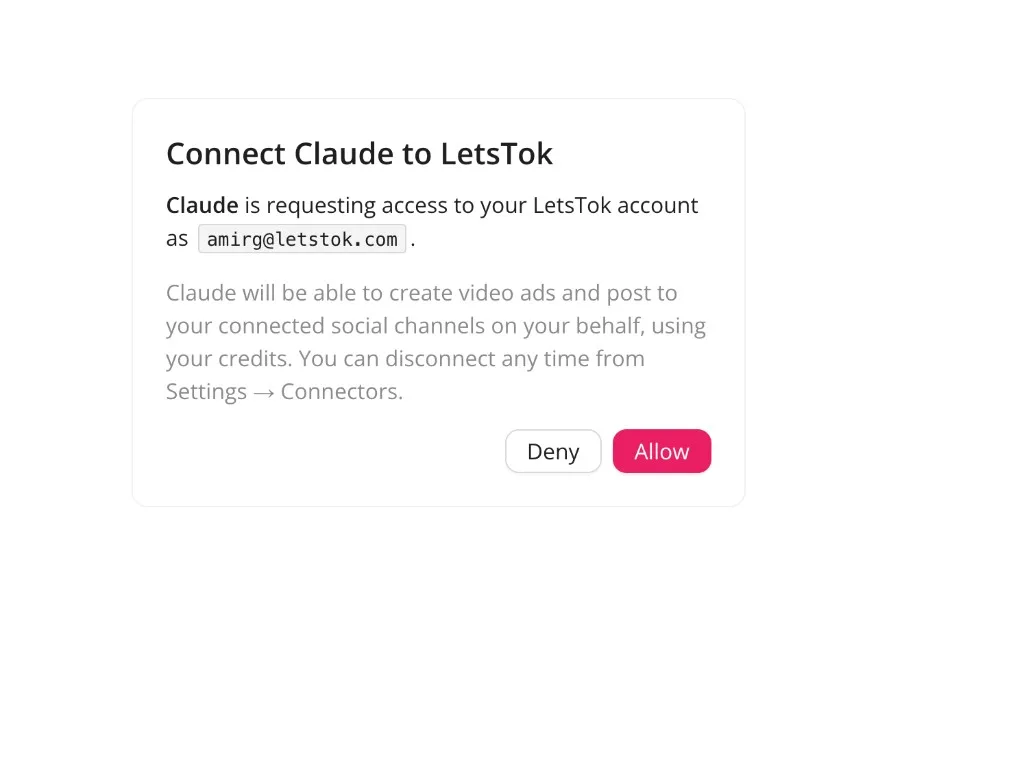
Click Allow to grant access to your LetsTok account. - 7
You are connected
LetsTok now appears in Apps with a DEV badge and an OAuth connection. That DEV label is expected for custom connectors. You are ready to create.
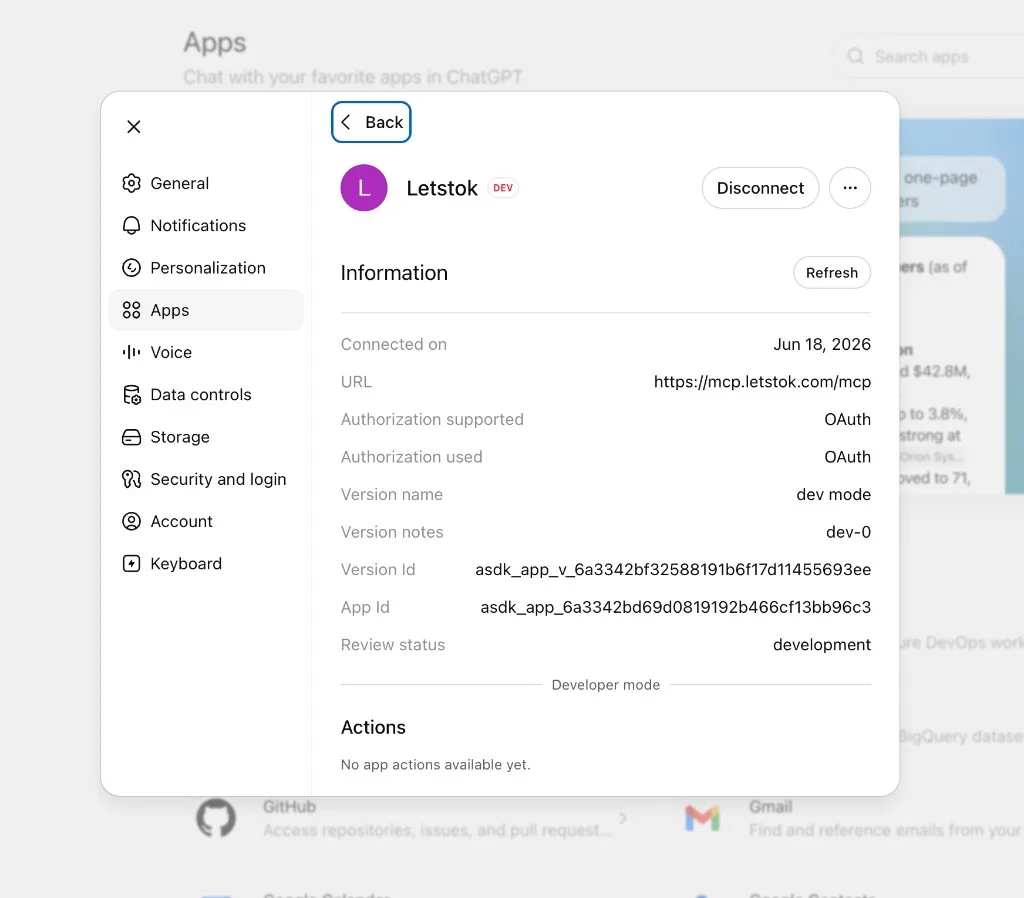
LetsTok is connected and ready (the DEV badge is normal). - 8
Ask ChatGPT to make an ad
In any chat, say something like: use the LetsTok app and make a 15-second Instagram video ad for my store. When ChatGPT asks to use LetsTok, click Allow. That is it - your video is on the way.
Tip: when ChatGPT asks to use LetsTok, you can leave it on so it does not stop to ask on every step. You can change that anytime from the app.
A few things that trip people up
Cannot find Developer mode?
You are most likely on Free ChatGPT, on the mobile app, or on a team workspace where the admin has not enabled it yet. Use ChatGPT web on a paid plan, and ask your admin to enable custom connectors for the team.
A tool seems missing or errors
Open the LetsTok app and click Refresh, or disconnect and reconnect. This pulls the latest LetsTok tools into ChatGPT - most hiccups clear right up afterwards.
The risk warnings are standard
ChatGPT shows ELEVATED RISK and a not reviewed notice for every custom connector, because it has not reviewed third-party servers. LetsTok only ever acts on your own account, and you can disconnect anytime.
Frequently asked questions
Does this work on the free ChatGPT plan?
No. Custom apps and Developer mode are not available on Free ChatGPT. You need a paid plan - Plus, Pro, Business, Enterprise or Edu - on chatgpt.com (web).
I am on a Business / Enterprise workspace. Why can I not see Developer mode?
On team workspaces, only an Admin or Owner can turn on Developer mode and allow custom MCP connectors, and they enable it for the whole team. Ask your workspace admin to enable it in Settings before you try to add LetsTok.
Why does the app show a DEV badge?
Custom connectors added through Developer mode are marked DEV. That is expected - it just means the app was added by you in developer mode rather than from the public app directory.
Do I need an API key?
No. Connecting from ChatGPT uses a secure sign-in (OAuth) to your LetsTok account. An API key is only needed for advanced or manual setups like scripts or MCP Inspector.
Do I need a paid LetsTok plan too?
You can connect on any plan, including Free. Using the tools - creating videos and posting - requires the LetsTok Starter plan or above. Generations use your existing LetsTok credits.
Is my account safe?
The connector only acts on your own LetsTok account, and you can disconnect it anytime from ChatGPT (Disconnect on the app) or from LetsTok Settings - Connectors.
Start creating from ChatGPT today
Turn on Developer mode, add the LetsTok app, sign in, and ship your first AI video ad in minutes.